
Elevator Ad Panels
— turning 100 to 900 cabins into ad revenue
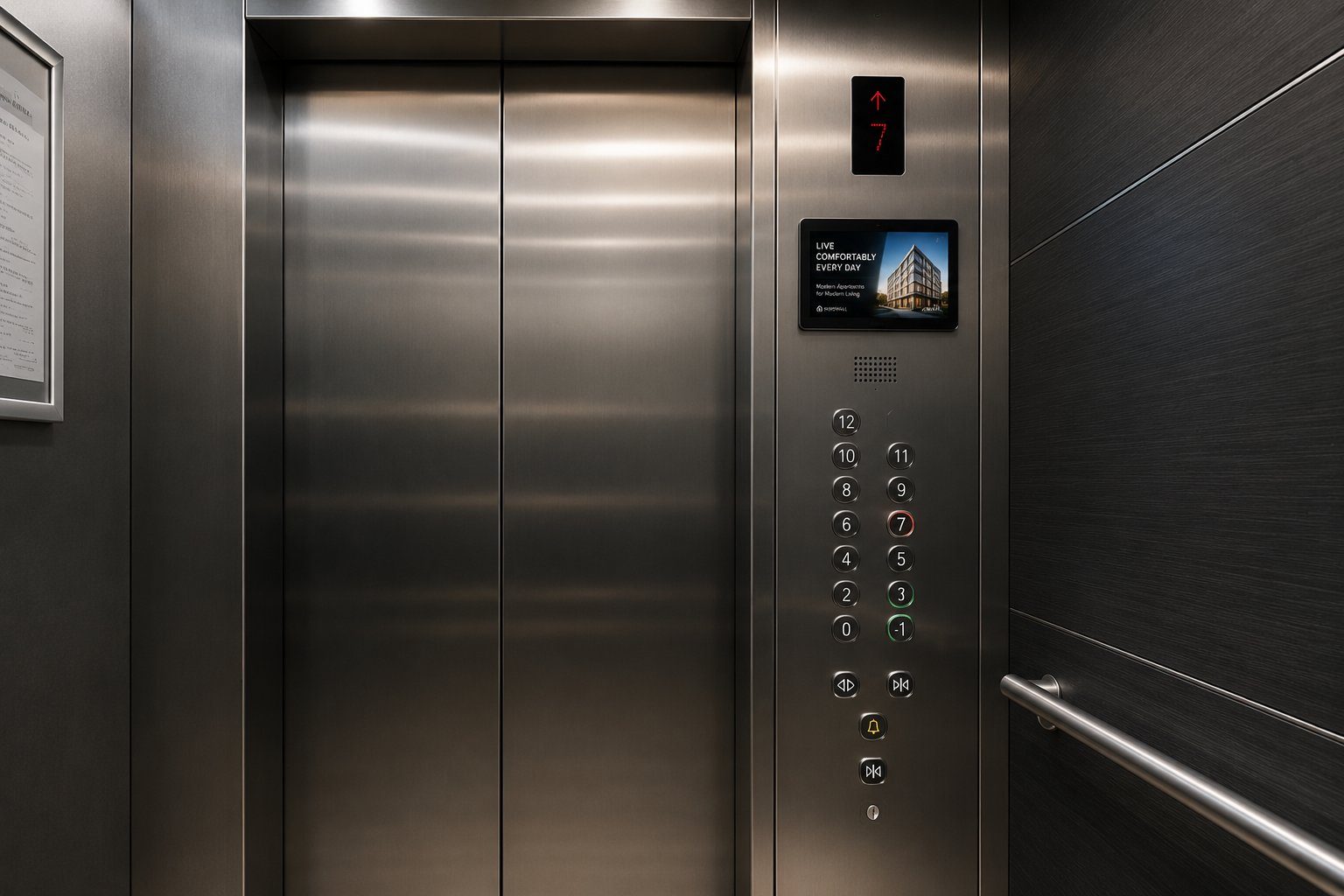
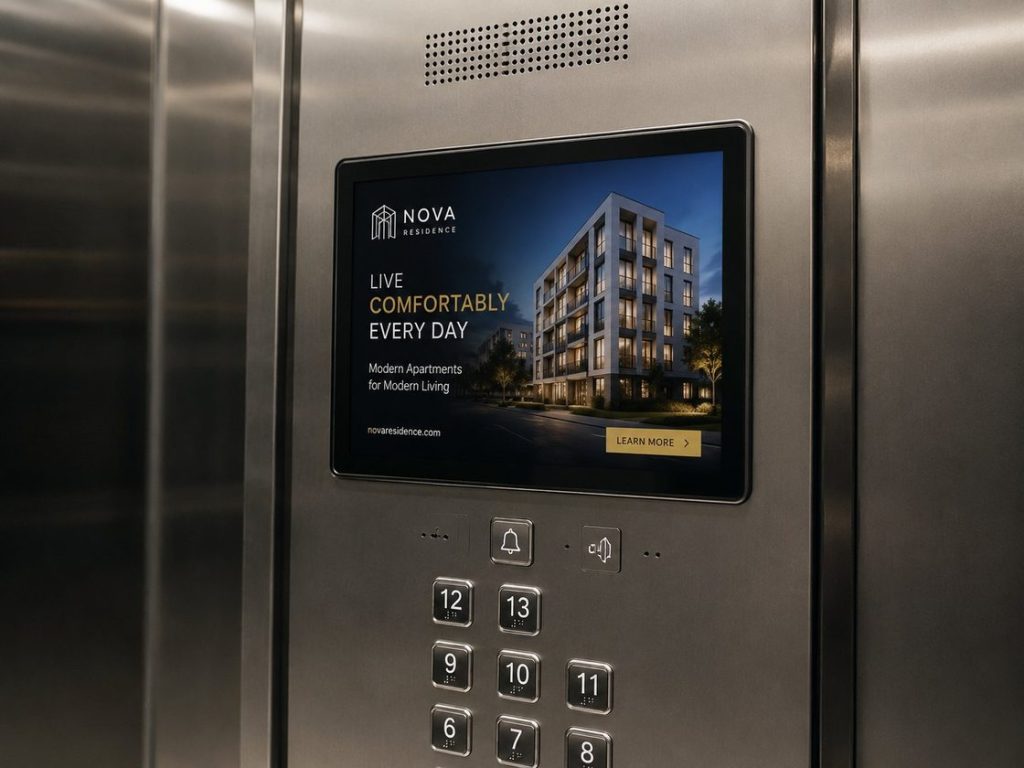
An elevator-maintenance company wanted the lifts it already services to start paying for themselves. We turned every cabin into a paid ad slot — a standalone in-cabin media panel on Elecrow CrowPanel (ESP32-P4) with offline looped playback, a watchdog so it just runs, and no-laptop content updates over Wi-Fi, USB or SD. It started at 100 units and grew into a 900-unit revenue fleet.
Offline looped playback
Watchdog-protected
Wi-Fi · USB · SD updates
The product
Hardware
Deployment
Content workflow
A standalone player that loops, alphabetically, from power-on
The panel is unattended in a lift, so reliability is the whole product. On power-up it scans its media library and starts looping through it in alphabetical order — no operator action, no network required. A built-in watchdog recovers playback automatically if it ever stalls.
- Photos: PNG and JPEG.
- Video: MP4 with MJPEG video + AAC/MP3 audio.
- Tuned for the card: media is pre-converted to 768×450 at 10 fps — higher resolutions outrun the SD-card read speed and stutter.
- Watchdog recovery keeps a frozen player from going dark.
768×450
10 fps
MJPEG + AAC/MP3
					# reference conversion — downscale + re-encode to a card-friendly MP4
ffmpeg -i input.mp4 \
  -vf "fps=10,scale=-2:450:flags=lanczos,crop=768:450" \
  -c:v mjpeg -q:v 6 -huffman optimal -pix_fmt yuvj420p \
  -c:a aac -b:a 64k -ar 44100 -ac 2 output.mp4
No laptop at the lift
Swap the ads from a phone
— right there in the cabin
Content management is deliberately kept separate from playback, so the panel never drops out of its loop by accident. A long press turns it into a self-serve upload station for as long as you need it.
1
Hold to pause
Press the screen for about 1.5 seconds. The current photo or video pauses.
2
Connect to the panel
It raises its own Wi-Fi hotspot and shows the SSID, password, URL and a QR code on screen.
SSID
Open in browser
3
Upload, then resume
Add or delete files over the panel’s web page. Tap Resume — the hotspot closes, the library re-scans, and the loop picks back up.
The operator's side
Media Manager for Crow Panel
A Windows app prepares the content the panel will show. Point it at a folder of source files; it converts the video, builds the package and reports the playlist size, then ships it to the panel three ways — over SD card, Wi-Fi or USB.
01 · SD card
Prepare & write
Convert the package on the PC and write it straight to the card — the simplest path for a fresh panel or a full refresh.
02 · Wi-Fi
Scan & connect
The panel raises a CrowPanel-XXXX access point. The app finds it, connects, shows what’s on the panel, and replaces it with new content.
03 · USB UART
Wired update
Same flow as Wi-Fi, over a USB-C COM port — handy on the bench or where Wi-Fi isn’t convenient.
Storage modes
Flash only
SD only
Auto fallback
One panel family,
shipped in several sizes
The whole solution runs on the CrowPanel Advance ESP32-P4 line. The sizes share resolution and I/O, so the same firmware ships as a 7″, 9″ or 10″ panel with no redesign — which is how the client could mix sizes across the fleet.
Dual-chip ESP32-P4 + ESP32-C6 (Wi-Fi 6 / BLE 5.3), 16 MB Flash · 32 MB PSRAM, microSD, on-board mic & speaker — and a MIPI-CSI camera already on the board. That camera is what makes the presence-detection roadmap below a firmware update rather than new hardware.
Results
100→900
0
3
7–10"
One platform, many screens
01
The panel
- Motion detection using the on-board camera — play or log only when the cabin is occupied.
- Human-presence detection for accurate impression counts.
- Touch interactivity — tap-to-learn-more and QR campaign links.
- OTA firmware and dayparting (different playlists by time of day).
02
The workflow
- Central content push to a whole fleet instead of per-panel updates.
- Proof-of-play logging and impression reports for advertisers.
- Scheduling and multi-zone playlists by building or route.
- CMS integration and campaign management.
03
Where it can be used
- Building lobbies, retail & point-of-sale screens.
- Restaurant menu boards; clinic, bank & office waiting areas.
- Public transport — buses, trams, metro cars and stations.
- Hotels, gyms, real-estate windows, expos & museums.
Need something like this?
We build custom IoT products
— and roll them out at scale
From a single room panel to a fleet of hundreds across multiple sites, we take devices from concept through customization to deployment. Want a similar system — or your own product on this hardware? Let’s talk.